ProtectPax - Protect your device from the terrible cracked screen


Worlds' Best Invisible Smartphone Protection
Protect your device from the terrible cracked screen of your various mobile devices so you don’t have to purchase screen protectors


Do you own a smartphone or tablet? If so, you are probably already thinking about how you can protect it from ugly scratches and other damage to the display.  Many smartphone users in this situation use screen protectors and are disappointed when they find out that they do not protect the sensitive glass as they would have expected. We too were frustrated by this, and searched for a better and modern solution. We are now introducing liquid glass technology. ProtectPax uses a unique Nanotechnology method to protect all devices completely invisibly.  It is the first Invisible Glass Protection for all smartphones, tablets, smart watches and other glass surfaces.

Effective screen protection via liquid glass :
Although today's smartphones and tablets have a variety of technical features that offer the user many advantages and make their use extremely comfortable, their developers still haven't solved one problem in a satisfying manner: touch screens of mobile devices are not scratch and break resistant.
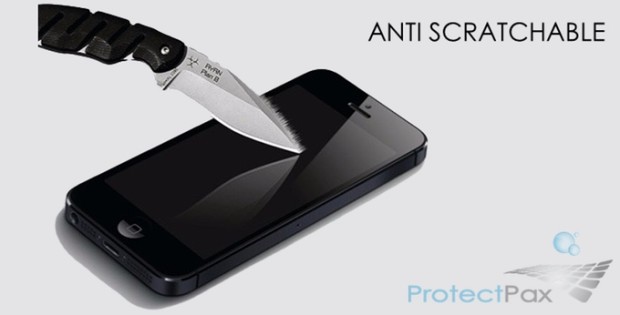


If the expensive high-end device comes into contact with sharp objects, then usually annoying scratches occur, which seriously interfere with reading e-mails and other screen content.

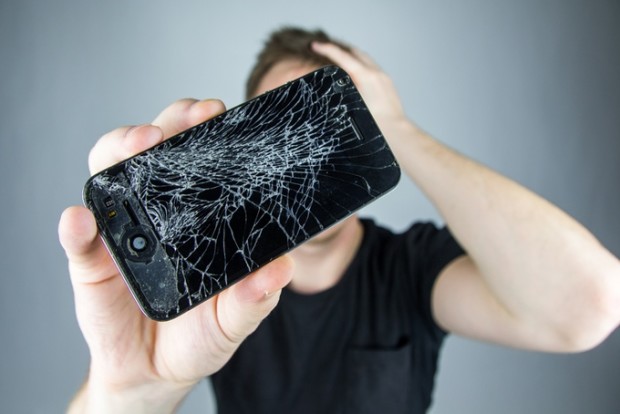
Even more unpleasant are cracks in the display glass, which are often caused by impacts against the front of the smartphone: as a result, it is possible that moisture enters into the mobile device and make it unusable.

The display foils, which are used by many smartphone users, offer only superficial protection against glass damage. These foils are unable to protect the display from deep scratches.

Also, they can often not be attached bubble-free, which strongly affects the stylish appearance of the mobile phone.
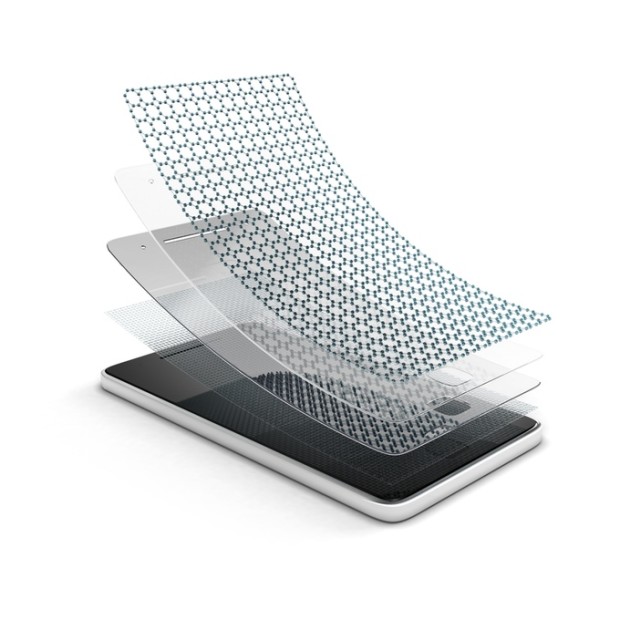
However, an invisible, efficient and long-lasting protection against damage to the display glass can be provided by the innovative ProtectPax liquid glass.

How does ProtectPax work?
ProtectPax is a Nano Liquid that is just applied to the glass surface. The Nano Liquid fills the invisible indentations of the glass layer while it dries and hardens, which are not visible to the human eye, making the display a maximum of 600% harder than before.

As product tests have shown, the hardness of the glass corresponds after the treatment to that of ruby and sapphire (9H on the Mohs scale). For comparison: Most smartphone touchscreens have a hardness of only 2H and 3H.


With ProtectPax the screen of your mobile phone becomes almost as hard as a diamond.
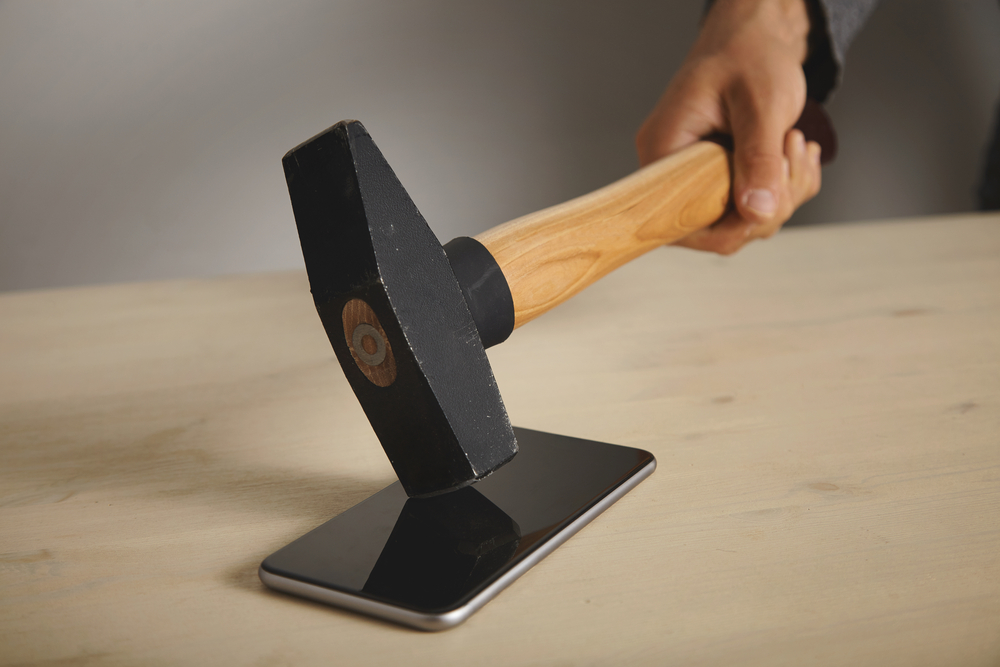
It can withstand cuts with sharp carpet knives as well as the dull force of up to six kilograms undamaged. This equals to a simple fall on a hard surface.

The nanoparticles of the product form together some crystal lattice on the glass, changing its density and molecular structure.


ProtectPax Innovative Liquid Glass:
Liquid glass is an ingenious technical process, originally developed for the aviation and aerospace industry.  It makes glass much more resistant and more durable. You simply apply the liquid on your smart device display and it’s done.  After drying, the liquid turns shiny and strengthens the screen, protecting it from both scratches and cracks.


The liquid glass consists of titanium dioxide nanoparticles which close the microscopic wells on the glass.  Your screen is now more uniform than when it left the factory.


With the help of liquid glass nanotechnology, you can not only protect your high-quality mobile phone or tablet from scratches to the display, it provides drop protection as well. If you have a smart watch, a regular watch, or eyeglasses, the pack of liquid glass can also be used to protect these items as well. The same applies to TV screens, GPS navigation systems, laptops, and eBook readers, and digital cameras.

Today our smart devices are an expensive investment and dear to us and that’s why we believe we should protect their screens from scratches and cracks. The cost of replacing the screen is often a significant expense.

The risks are everywhere.  All you have to do is to put it your phone into your pants pocket once, where your keys are already in place.  Out comes your phone with an ugly scratch. The same with your handbag the glass screen is easily scratched when it comes in contact with any other objects.  Even loose change can scratch your phone.


Although screen protectors are available and prefabricated in standard screen sizes, they are often difficult to install. They may also develop unattractive air bubbles under the film over time.

With the ProtectPax innovative liquid glass, however, you get the screen protection that your smart device needs, to make it durable for many more years to come.

Also, the film not only protects your smart device's glass from superficial scratches, it provides protection against falls that may break the display.

After drying, ProtectPax is as hard as sapphire or ruby and acts like an optical filter. You will also enjoy even more sharpened contrasts and richer colors. ProtectPax will make your screen smooth.
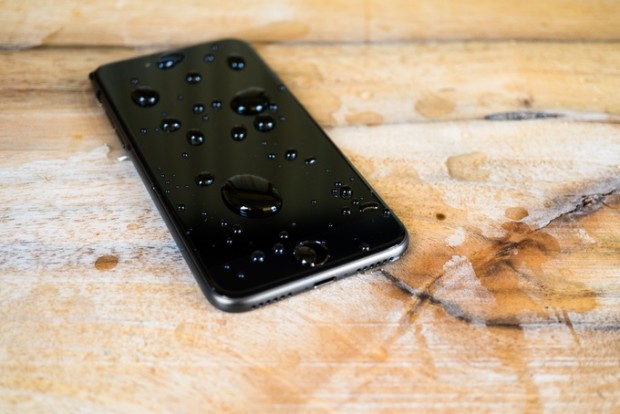


If you apply ProtectPax on your mobile phone camera, your photos and videos will be even more beautiful. As a pioneer in screen protection, ProtectPax was subjected to extensive tests and adaptability with different devices.

How to use ProtectPax:

STEP-1


 STEP-2


 STEP-3


I hope you enjoy it and find it useful to you.


If you have any questions, Please feel free to leave a comment below and we’ll try to help you out. If you found this article useful, why not share it with your friends and help inform others.


Search Terms : how to, ProtectPax, Protect your device, Protect your mobile, Protect your tablet, Protect your device for scratches, Protect your mobile for scratches, no need mobile screen guards, screen protectors, liquid glass technology, Invisible Glass Protectionsmartphones, tablets, smart watches, titanium dioxide nanoparticles, mobile scratch remover, water damage wall, business internet, internet phone system, voip service provider,


Category: Tech News
Mobile

Download Car Rash - Racing Game for Android


Download Car Rash APK for Android & iPhone

Car Rash - Drive your car through highway traffic avoiding other cars.
 

You are addicted to car games and racing games? If racing is your passion, Drive your car through highway traffic avoiding other cars, you have to take fuel bonus to fill up the fuel level. Become a "Car Rash" and drive through traffic at crazy speeds. Enjoy this "Car Rash" racing game for free.


Car Rash Features:

* Easy controller
* Beautiful 3D graphics
* Choose your car
* Tap to accelerate
* Release to slow down
* Auto speed ups
* Collect coins
* Realistic sound environment.


File Size : 19.8 MB
OS Support : Android 
Requirements: Android 2.2 and above
Language : English
Click the followings links below to Download Car Rash Android APK
Photobucket

Download Now


If you have any questions, Please feel free to leave a comment below and we’ll try to help you out. If you found this article useful, why not share it with your friends and help inform others.


Search Terms : Free download, download games, free download games, Download Free games, full apk download, offline installer download, apk download, Car Rash, Car Rash download. Car Rash Google play, Play Car Rash, truck wreck lawyer, ip phone systems, business internet, Car Rash app, download Car rash app,


Category: Mobile
Game

FACEBOOK REVEAL AMAZING NEW FEATURE ON DESKTOP USERS


Facebook reveal amazing new feature on desktop users:

NOTE: You can watch this entire video to "Waht is Facebook New feature and How it work"


Facebook live video broadcast now available for your desktop and laptop :
Few months ago, Facebook also added the live video feature to Instagram Stories, which was recently updated with the option to be saved by the broadcaster. As for popularity, according to a recent report by social media analytics platform Quaintly, Facebook‘s video dominance becomes even clearer when looking at individual posts as nearly 85 percent of posts on Facebook use the social network’s native video, while YouTube represented just over 10 percent of posts and Vimeo and other sources accounted for less than 5 percent..

Previously, the company a new feature for its Messenger app known as 'Facebook Messenger Day', which brings the ability to share photos and videos with your friends for just 24 hours after which the shared content will disappear accordingly. The update has been rolled out to both Android and iOS platforms and should soon make way to your device..

So, finally Facebook has introduced the Live Video broadcast feature on the desktop. Through this features, users will now be able to go live on Facebook from their desktop or laptop computers. To recall, this feature was only available for mobile.

Live video options will be built directly into Facebook’s News Feed and user profiles, making it as easy to start a broadcast as it is to post a status. Desktop broadcasts will appear in your friends’ News Feeds exactly like mobile broadcasts do now.


In order to broadcast a live video from a computer, a user needs to click “Live Video” from the top of his/her New Feed or Timeline, then follow the prompts to add a description and choose your audience. To make the live broadcast feature even more interesting, the company will also allow users to use streaming software or external hardware. This feature was previously available on a Page, but now the company has added to the Profiles as well.
 

Using the feature is as simple as it’s been on the mobile platform. Simply head to your News Feed or Timeline, and next to the options to add image or video to your post, you will now see a Live Video option as well. Just tap on it and follow the prompts to add a description and choose your audience. If you think of it, it’s actually a very beneficial feature addition for both Facebook and its users. For users, the broadcasting option for desktop or laptop computers provide a stable camera setup that can be beneficial to many types of Facebook Live broadcasts like Q&As, vlogs and tutorials.

For More Information you can watch the above video to "Waht is Facebook New feature and How it work"

If you have any questions, Please feel free to leave a comment below and we’ll try to help you out. If you found this article useful, why not share it with your friends and help inform others.


Search Terms : How, How to, How do, hack facebook,facebook live,live news stream,livestream,facebook videos,facebook,video de facebook,amor de facebook,video chat facebook,facebook livestream,facebook live uae,broadcast to facebook,broadcast to facebook live,Facebook video,Facebook live,facebook live screencast,facebook live pc,facebook like desktop,live video on facebook,live video streaming facebook,live facebook,live streaming,facebook live event,live video streaming


Category: Tech"News"
Facebook live video broadcast

EKEN H9 4K ULTRA HD WIFI ACTION CAMERA - CHEAPEST 4K VIDEO CAMERA


EKEN H9 4K ULTRA HD WIFI ACTION CAMERA - CHEAPEST 4K VIDEO CAMERA:

NOTE: You can watch this entire video to what is "EKEN H9 4K ULTRA HD WIFI ACTION CAMERA" and How it work"


Eken H9 Action Camera Ultra HD 4 K WiFi 1080P/60fps 2.0 LCD 170 lens Video Cam :
EKEN has enjoyed a leading reputation in electronic and technology industries. EKEN is a high-tech company specializing in designing and manufacturing innovative products such as Action Cameras.

EKEN H9 is an ideal camera for traveling:  when you are surfing, diving, snorkeling, biking or driving. Mount it on the car when you are driving down a scenic road and record your adventure!.

It is perfectly sized, both portable and mountable. It’s the camera for sports fan or anyone who wants to record stunning footage. Everyone can use the camera to capture video and share the fun amongst family and friends.

WiFi Function - enables you to self-capture in a more convenient way. It's never been easier to share your story with the world.
 

So why is H9 by Eken is an interesting camera?
Heken H9 is absolutely one of the cheaper action cams in the market. Obviously 4k and 2.7k cannot be used as they’re only 10fps and it’s just marketing, but 1080p @ 60 Frame per seconds is still the best resolution to shot action videos. It has a back screen, so you can see what you are recording live, change settings, and playback your videos and pictures, all very useful features.

It is perfectly sized, both portable and mountable. It’s the camera for sports fan or anyone who wants to record stunning footage. Everyone can use the camera to capture video and share the fun amongst family and friends.

WiFi Function enables you to self-capture in a more convenient way. It's never been easier to share your story with the world.

With high frame rate video mode 1080p60 or 720p120, you will get distinctly smooth videos. After transform them into Slow Motion videos, you will be able to see subtle movement details when you are playing them on your Computers or TV.

Hight quality 170° wide angle lens will capture maximum views that you would like to include in your videos or photos!


For More Information you can watch the above video to what is "EKEN H9 4K ULTRA HD WIFI ACTION CAMERA" and How it work"

If you have any questions, Please feel free to leave a comment below and we’ll try to help you out. If you found this article useful, why not share it with your friends and help inform others.


Search Terms : How, How to, How do, eken h9,action camera,eken h9 discount,eken action camera,eken action camera h9,eken action camera review,eken action camera 4k ultra hd,eken h9 4k,eken 4k camera,eken 4k action camera,best camera for youtube,cheap 4k camera,4k action cam,action camera 4K,4K,best cheap 4k action camera,cheap 4k action camera,budget 4k action camera,budget 4k action cam,4k action camera cheap,cheap action camera,cheap action camera review,best 4k camera


Category: Tech"News"
EKEN H9 4K ULTRA HD CAMERA

MAKE MONEY WITH YOUTUBE SUPER CHAT - NEW WAY TO MAKE MONEY YOUTUBE CREATORS FROM THEIR LIVE STREAMS


MAKE MONEY WITH YOUTUBE SUPER CHAT - NEW WAY TO MAKE MONEY YOUTUBE CREATORS FROM THEIR LIVE STREAMS:

NOTE: You can watch this video and follow the  steps "how to make money with youtube "SUPER CHAT" and How it work"


NEW YOUTUBE MONETIZATION LIVE STREAMS WITH SUPER CHAT :
YouTube has introduced a new feature called "Super Chat" for video content creators to make money and connect with super fans:

Youtube introducing latest tool for fans and creators to connect with one another during live streams: Super Chat. Super Chat is a new way for fans and creators to interact during live streams. Fans can purchase Super Chats to highlight their messages within the live chat stream. Anybody watching a live stream can purchase a Super Chat: a highlighted message in the chat stream that stands out from the crowd to get even more of your favourite creator’s attention. And Super Chats remain pinned to the top of chat for up to 5 hours, giving more airtime for your messages.
.


A new live stream monetization tool available to creators in more than 20 countries (and viewers in more than 40 countries). Super Chat is like paying for that front-row seat in the digital age: it lets any fan watching a live stream stand out from the crowd and get a creator’s attention by purchasing chat messages that are highlighted in bright colors and stay pinned to the top of the chat window for up to five hours. Super Chat gives viewers a chance to add a little visual flair to their chats and gives creators a new way to keep connected to their fans while earning a little money on the side, let’s say for example, while shopping at Target or playing video games etc.,

Super Chats stand out from other messages in two ways:
•    Your Super Chat is highlighted with a color.
•    Your Super Chat stays pinned in the ticker for a set period of time, depending on the amount selected.

The color of your Super Chat, the period of time it stays pinned in the ticker, and the maximum message length are determined by the amount of your purchase.

Make a purchase :
You can make a purchase from YouTube or YouTube Gaming on your computer or in the mobile app. When the transaction is complete, your public Super Chat will be sent to all viewers in the live chat. A receipt will be emailed to you as a record of the purchase.

Once a Super Chat is purchased, a countdown ticker displays the remaining time for which your Super Chat will be pinned in the ticker. The creator may end the live stream before your time in the ticker has completed. Super Chats do not transfer between streams.

For creators, this means Super Chat does double duty: keeping their conversations and connections with (super) fans meaningful and lively while also giving creators a new way to make money. Youtube excited to start the Super Chat beta today with a few creators, and they plan to broadly launch Super Chat on January 31 for creators in 20 countries and viewers in more than 40 countries.

As Youtube welcome a new tool for fans and creators, they bid farewell to an old one: Fan Funding. Youtube launched Fan Funding in 2014 to let viewers make voluntary payments to support creators directly. While they were really excited about Fan Funding, it never achieved widespread usage outside of live streams, where they saw the majority of revenue. Fan Funding will stop accepting new sign-ups today, but can continue to be used on enabled channels until February 28, when it will be discontinued.


For More Information you can watch the above video and follow the  steps "how to make money with youtube "SUPER CHAT" and How it work"

If you have any questions, Please feel free to leave a comment below and we’ll try to help you out. If you found this article useful, why not share it with your friends and help inform others.


Search Terms : How, How to, How do, youtube super chat,youtube super chat live stream,youtube super chat revenue,youtube super chat money,make money youtube super chat,super chat,youtube,superchat,super chat option,what is youtube super chat,super chat in live streams,earn money with super chat,mobile live streaming,what is youtube superchat,make money with superchat,super chat feature,youtube money,youtube income,youtube super chat hack,make money on youtube


Category: Tech"News"
YOUTUBE SUPER CHAT

HOW TO FIND, TRACK, REMOTELY RING, LOCK AND ERASE YOUR LOST OR STOLEN ANDROID PHONE


This video will show you How to Find Your Lost or Stolen Android Phone and Remotely ring, lock, or erase a lost device and How it work?

NOTE: You can watch this video and follow the  steps "how to find and track your lost or stolen android phone and remotely ring, lock, or erase a lost device"

Most Android phones now come with Android Device Manager built in. This service will automatically track your phone's location, so if it ever goes missing you can hop on your laptop or a friend's phone and find it's last known location, ring your phone if it's near by and you need a hint, or lock and/or erase your phone if you fear it has been stolen.

The most important thing you can do is make sure your phone is set up to be found before it goes missing. Otherwise, you're basically on your own.

Google's making it even easier to track down your misplaced mobile device. While Android Device Manager already exists to help find lost phones and tablets, just getting to your account's ADM menu often requires a search of its own. But Find My Phone is as simple as a web query. In fact, that's literally what you're doing. Simply open a Google and type "find my phone" to display a map that reveals the phone's current resting place. If the device is nearby, you can also opt to ring your cell. Unfortunately, Find My Phone does not allow you to lock or erase your device should it be stolen or, say, left at the local pub -- you will still need Android Device Manager to do that.

Locate a lost device using Android Device Manager:


Use the Android Device Manager website
1.    Sign in to your Google Account on android.com/devicemanager.
2.    If you have more than one device, click the arrow next to the device name to select a different device.
3.    Android Device Manager will show you the approximate location of the device selected.

Use the Android Device Manager app :
If you have another mobile device, you can use the Android Device Manager app to locate your lost device. You need to have the Android Device Manager app installed on the device that you plan to use.
1.    On the device that you have with you, open the Android Device Manager app .
2.    Sign in to your Google Account.
3.    Change the device displayed:

       On your phone: Swipe along the bottom of the screen to see your devices.
       On your tablet: Touch the arrow next to the device to select a device.
4.    Android Device Manager will show you the approximate location of the device selected.

Use your Android Wear device :
For Android Wear users, you can also use your watch to find your device if it's connected by Bluetooth


You can watch the above video and follow the  steps "how to find and track your lost or stolen android phone and remotely ring, lock, or erase a lost device"

For more information click on the links below


If you're having trouble playing videos, we suggest you to install the latest version of the Adobe Flash player.

If you're seeing the "You need to upgrade your Adobe Flash Player to watch this video / Missing Plug-in" error,

First you can upgrade the latest version of “Adobe Flash Player” after that view/play video’s.

Get the latest Adobe Flash Player (Download Adobe Flash Player)


Search Terms : How, How to, How do, Video, Videos, lost android phone,stolen phone,lost my phone,find my phone,lost phone app,lost phone tracker,stolen phone tracker,remotely,lost android phone tracker,Lost Phone Recovery,IMEI Tracking,Stolen Phone,recovery,lost,stolen,IMEI,tracking,track,how to,lock phone,track iPhone,recover iPhone,how to track a smartphone,imei tracking,how to recover lost phone,track phone with imri,how to get lost android,recover android phone

Recommended Articles

100 GB Free Backup

 
Contact Form